
This guide provides clear, step-by-step instructions to help you successfully complete your application to Mountains of the Moon University (MMU). Please read carefully before starting your application.
Requirements
Before beginning your application, ensure you have the following:
Accessing the Application Portal
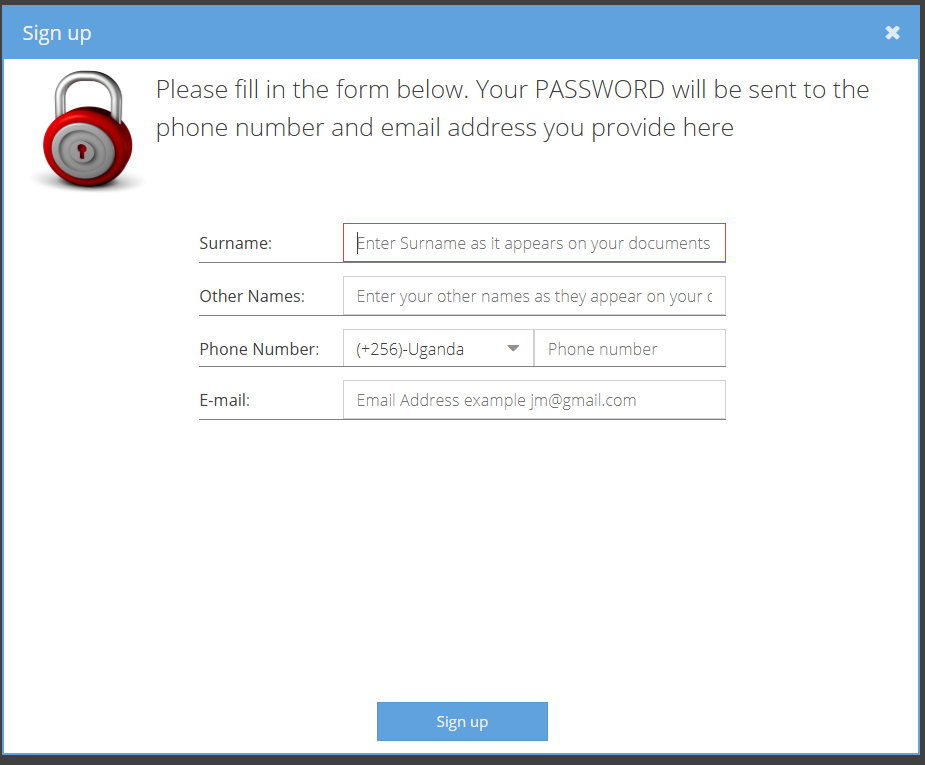
Figure 1: Sign-up screen for creating a new applicant account.
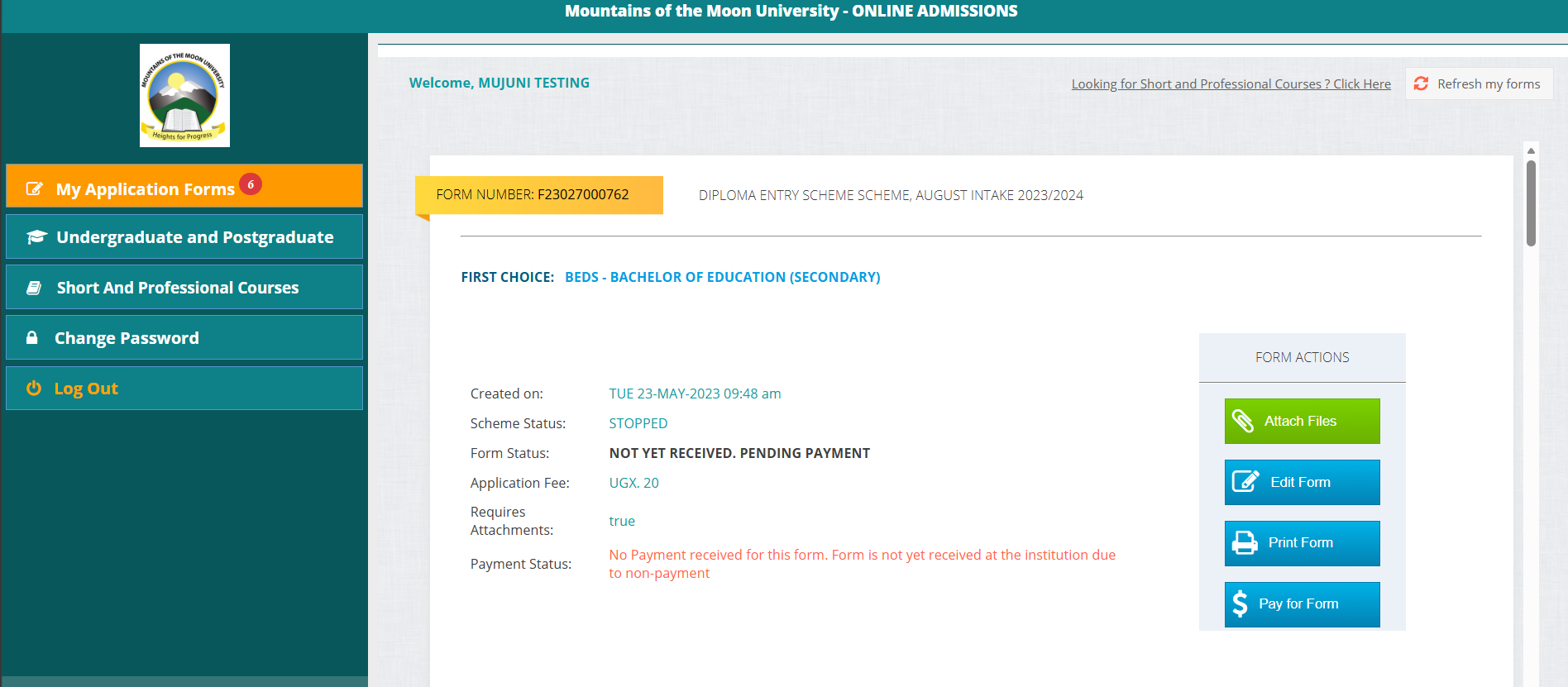
Figure 2: Applicant dashboard after logging in.
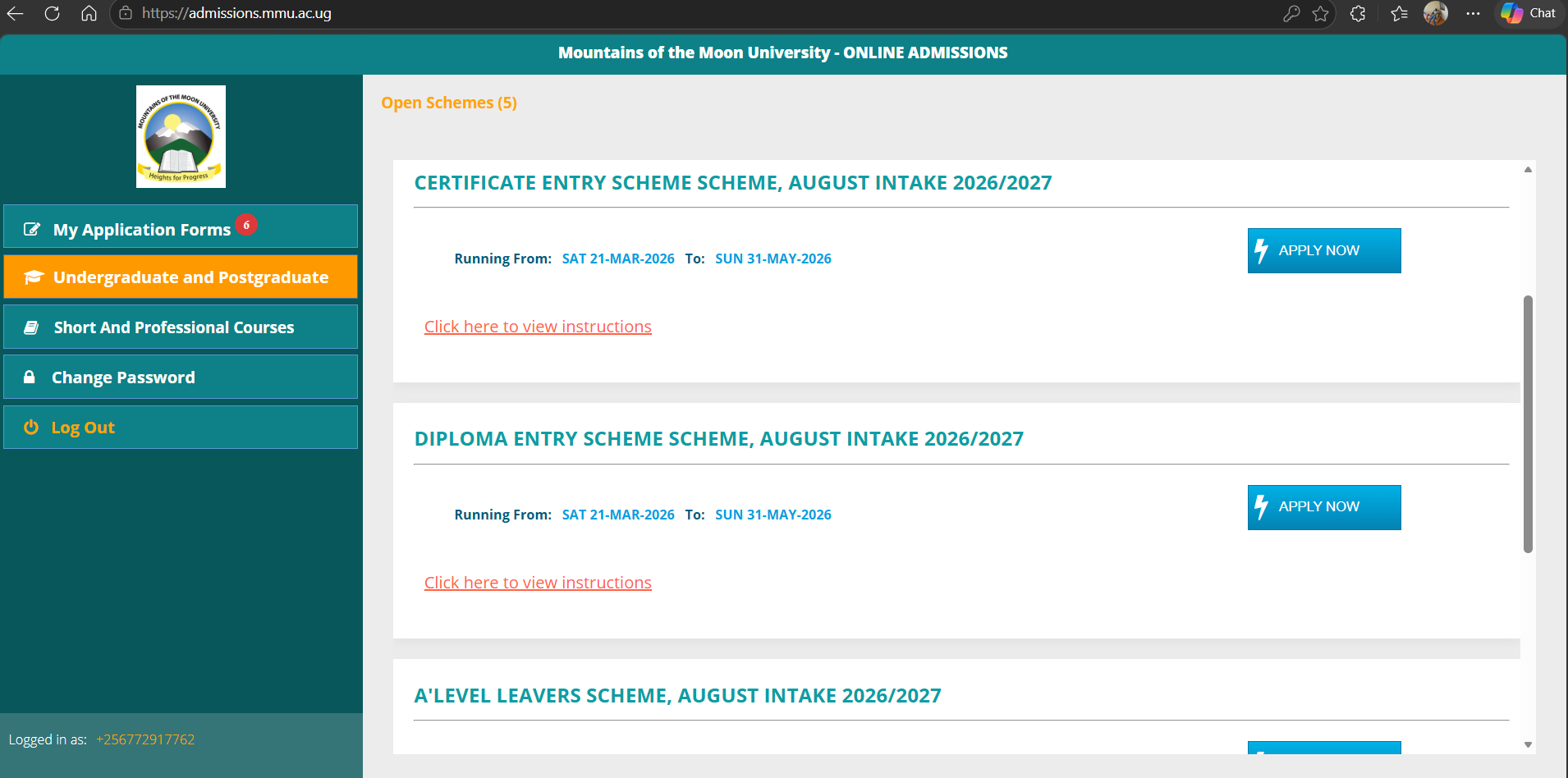
Figure 3: Application schemes displayed on the portal.
Select the scheme that matches your qualification. Choosing the wrong scheme may delay processing or lead to rejection of your application.
| Application scheme | Who should use it |
| PhD Entry Scheme | Applicants with a relevant Master’s degree applying for PhD programmes. For more details click here |
| Postgraduate Entry Scheme | Applicants applying for postgraduate diplomas or Master’s programmes. |
| A-Level Entry Scheme | Applicants who completed UACE and are applying for Diploma, Higher Education Access Certificate, or Bachelor’s programmes. |
| Diploma Entry Scheme | Applicants with a recognized diploma qualification applying for Bachelor’s programmes. |
| Certificate Entry Scheme | Applicants with a certificate qualification applying for Diploma programmes. |
Complete all required sections of the application form. The key sections include:
| Section | What to enter | Key reminder |
| Biodata | Personal details, contact details, and other applicant information. | Ensure names match your academic documents. |
| Programme choices | Preferred programme or programmes. | Confirm that you meet the minimum entry requirements. |
| Academic qualifications | O-Level, A-Level, Certificate, Diploma, Degree, or other qualifications as applicable. | Enter correct index numbers, years of sitting, institutions, and grades. |
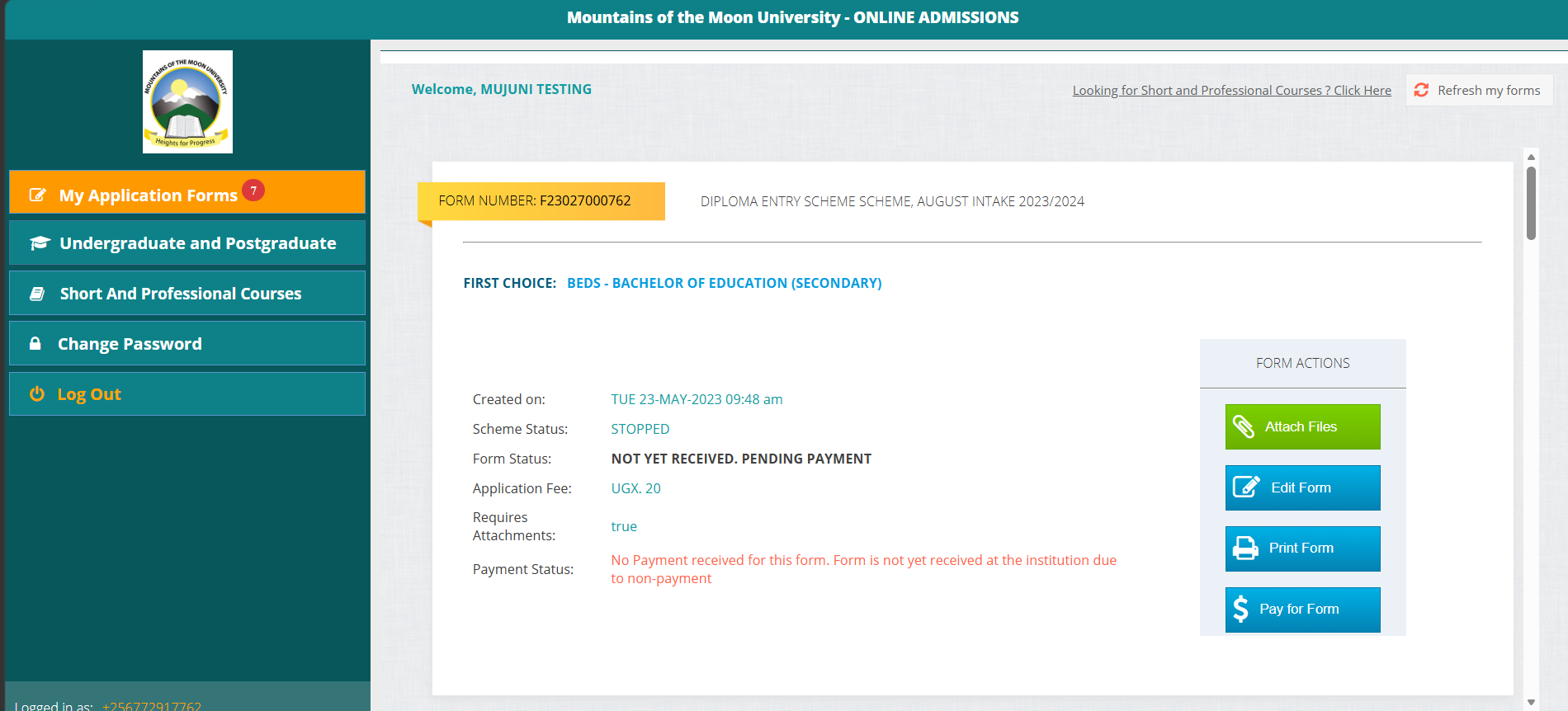
Figure 4: Submitted application displayed on the applicant dashboard.
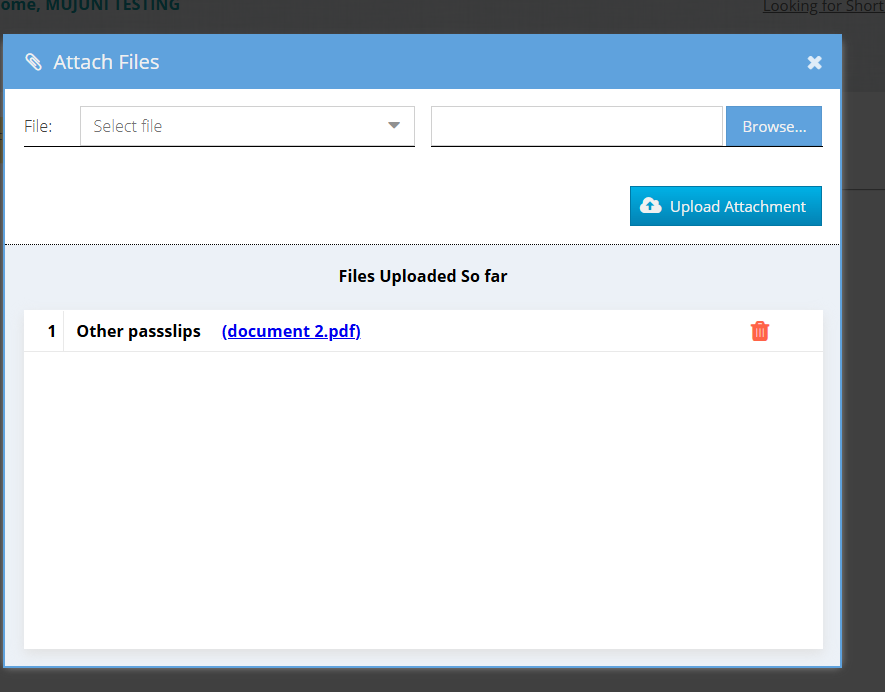
Figure 5: Attach Files screen used for uploading application documents.
| Important: Failure to upload all required documents may lead to delays or rejection of your application. |
Upload the correct documents based on the scheme under which you are applying.
| Scheme/category | Documents to upload | Equivalence requirement |
| A-Level Entry (S.6 leavers) | UCE and UACE result slips; UCE and UACE certificates, where available; proof of application fees payment. | Foreign examination body certificates require a Letter of Equivalence from UNEB. |
| Other schemes (Certificate/Diploma holders) | UCE result slip; other academic result slips/transcripts or UACE result slips; UCE certificate and other certificates held, or UACE certificate; proof of application fees payment. | Foreign certificates or diplomas require a Letter of Equivalence from UNEB or NCHE. |
| Postgraduate applicants | UCE and UACE result slips; UCE and UACE certificates; academic transcripts/result slips for Certificate, Diploma, Degree, or other qualifications; academic certificates; proof of application fees payment. | Foreign qualifications require a Letter of Equivalence from UNEB or NCHE. |
| PhD Entry applicants | Research synopsis; three referee letters, two academic and one professional; Master’s degree transcript and certificate; undergraduate degree transcript and certificate, or equivalent; other degrees where applicable; UACE result slip/certificate; UCE result slip/certificate. | Foreign qualifications may require recognition/equivalence from the relevant authority. Click here for more details |
For assistance, contact the Academic Registrar’s Office or visit the official university website for support and updates.